

Log in

I am a student

New to YouHue? Ask your teacher for help

I am an educator
Don’t have an account? Sign up
Set up by hand in minutes, bring your classes in from where they live, or on a School plan keep connected classes current overnight.









Educators and students use an account they already have instead of another password.
No separate charge. Options depend on your school’s setup.
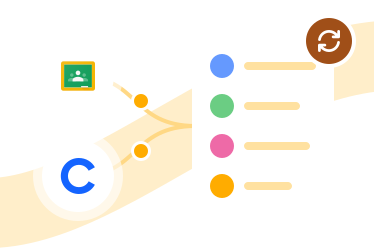
A teacher brings their own classes in from Google Classroom or Clever Library, and re-syncs when the roster changes.
Free on every plan.
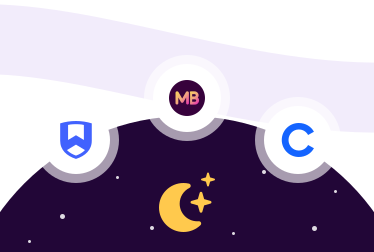
Connected classes update every night from the system your school already maintains. New classes are added separately.
Part of the School plan.
Choose your system.

Teachers import their classes on any plan and review every roster change before it applies.
Students can sign in with Google. Students in Google Classroom classes sign in with Google.
On a School plan, connected classes update from Clever every night.
Set up with our team during onboarding.
Students in Clever-rostered classes sign in with Clever.
Teachers bring in their own Clever sections and students on any plan, and review each change when they re-sync.

On a School plan, connected classes update from Wonde every night.
Set up with our team during onboarding.
Accounts set up through your school’s Wonde connection can sign in with MyLogin.
On a School plan, connected classes update from ManageBac+ every night.
Set up with our team during onboarding.
Accounts set up through your school’s ManageBac+ connection can sign in with ManageBac+.
Create a class in minutes and add students one at a time or by pasting a list. Print the class login pack and your students can sign in with a class code and their own login details, without an email address.
Free on every plan, and nothing to approve before the first check-in window.
Class import Google Classroom Clever Library | School roster sync Clever Secure Sync Wonde ManageBac+ | |
|---|---|---|
| Who connects it | The teacher, from their own account | Your school, with our team, during School plan onboarding |
| Plan | Any plan, free | School plan |
| When changes arrive | When the teacher re-syncs, after reviewing what was added, removed or changed | Every night for connected classes, from your school’s system. New classes are added separately. |
| Adding a student by hand | Not on an imported class; the roster belongs to its source | Not on a synced class; the roster belongs to its source |
| A student leaves the source | The teacher chooses to keep or remove them | Archived automatically, with their history, and restored if they reappear |
| A class no longer comes from the source | The class and its data stay in YouHue, with the roster paused until the class is found again | Archived automatically, with its history, and restored if it reappears |
| Check-in windows and class settings | Check-in windows and other supported class settings remain editable in YouHue; the sign-in method follows the source | The same; the sync never undoes an educator assignment made in YouHue |
Is an integration required?
No. You can set up classes by hand in a few minutes, and students sign in with the class login pack. Connections save re-typing when your classes already live somewhere else.
What is the difference between signing in with Google and importing from Google Classroom?
Signing in with Google is about who you are: a Google account instead of another password. Importing from Google Classroom is about your classes: their students arrive in YouHue from Classroom, and the teacher re-syncs when the roster changes.
What is the difference between Clever Library and Clever Secure Sync?
Clever Library is a teacher’s own import of their sections. Clever Secure Sync is set up at the school level on a School plan, and connected classes update every night.
Who sets up a school roster sync?
Our team, with your school, during School plan onboarding. Tell us which system your school uses, and we’ll confirm the available setup route. Teacher imports need no setup from the school.
Can I add a student to an imported or synced class?
No. The roster belongs to the system it came from, so changes are made there and arrive by re-sync or overnight. Check-in windows and other supported class settings remain editable in YouHue.
What happens when a student or class disappears from our system?
It depends on the kind of connection. On a teacher import, the teacher reviews the change and chooses to keep or remove a student; if a whole class no longer comes from its source, the class and its data stay in YouHue and its roster is paused until the class is found again. On a school sync, a student or class that stops appearing is archived automatically with its history and restored if it reappears.
Is sign-in free?
There’s no separate charge for sign-in, but the options depend on your school’s setup. MyLogin and ManageBac+ sign-in need your school’s roster connection and an account set up through it. Importing your own classes is free on every plan. Automatic school-level sync is part of the School plan, because it is school-level infrastructure.
Our school uses a system that is not listed.
Tell us. Write to help@youhue.com and we’ll confirm what is possible.
We’ll confirm the available setup route.
Already using YouHue? The setup guides are in the Help Center.


